STL Repair
Free online STL repair that runs in your browser. Drop a file to see what's wrong with it, repair it in one click and compare the numbers before and after. Holes too large to close safely are reported, not hidden.
Runs in your browser. Your file is never uploaded.
Or try a sample:
Read on your device. Nothing is uploaded.
What STL repair fixes
Holes and gaps
Small openings, up to 16 edges around, are closed with a patch so the slicer sees one closed shell. Many apparent gaps are only rounding errors between corners, and joining those corners closes them.
Flipped faces
Triangles that face inwards are turned to match their neighbours, and shells that are inside out are turned the right way round. That fixes missing layers and odd infill.
Broken and doubled triangles
Triangles with no area and exact duplicates are removed. Both are common in files exported from CAD programs and scanning apps.
Loose pieces
Tiny separate fragments, under 1 mm³ and next to nothing beside the main part, are removed. Real parts are kept, and you can switch this off.
How to repair an STL file
- 01
Drop the file
Choose an STL, OBJ or 3MF up to 50 MB. The check runs on your device, and nothing is uploaded.
- 02
Read the check, then repair
See the holes, bad edges, flipped faces and loose pieces it found. Press Repair and compare before and after.
- 03
Download and slice
Download the repaired STL and open it in PrusaSlicer, Bambu Studio, Cura or OrcaSlicer. The size stays the same; to look the result over, open it in the STL viewer.
Try STL repair on a broken sample
Files we broke on purpose: one the tool repairs fully, and one with a hole too large to close.
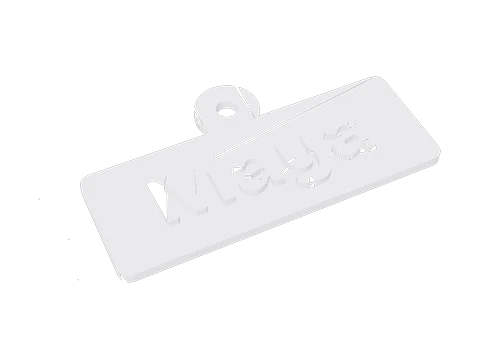 Broken keychainSTL · 2 holes, flipped and doubled faces, specks
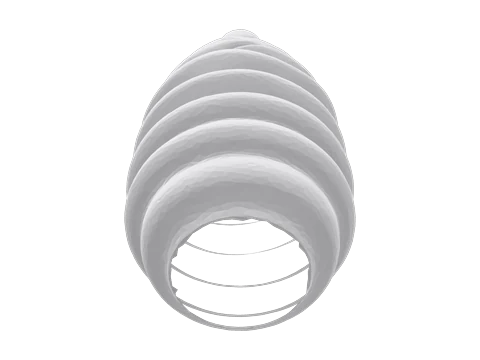 Vase with an open bottomSTL · a hole too large to close
What slicer warnings mean
Slicers word their warnings differently, but they come down to a few problems.
Open edges and holes
Some slicers close small holes themselves; others slice around them and leave gaps in the walls. Either way the layer outlines no longer match the shape you meant.
Flipped normals
Each triangle has an outside. When some point inwards, a slicer can treat the inside of the model as empty space and the outside as solid, which shows up as missing layers.
Non-manifold geometry
Edges shared by more than two triangles, or surfaces that meet at a single point. The slicer has to guess which side is inside, and guesses differ from one slicer to the next.
Extra shells
Separate pieces inside or beside the model. Overlapping parts usually slice fine; specks and stray sheets print as blobs and strings.
Where broken STL files come from
3D scans
Phone and photo scans leave holes where the camera couldn’t see, often under the model, plus loose specks from the background.
Exports from modelling programs
Rounding during export can leave corners a hair apart, and parts that were placed together stay separate shells.
Models edited many times
Files cut, joined and re-exported over the years pick up doubled triangles and slivers with no area.
AI-generated models
Texture seams split the surface into pieces that look joined. Hooray3D joins them before it gives you an STL, and this page does the same for files from elsewhere.
When a file can't be repaired here
Some problems have no single right answer. Rather than guess, the page tells you what is left.
Large holes
A missing area with more than 16 edges around it is left open and reported. Filling it means inventing a shape, which a modelling program or a new scan does better.
Edges shared by three or more faces
Where two shells touch along an edge, or several surfaces meet, a slicer can't tell inside from outside. These non-manifold edges are counted and reported.
Crossing surfaces
Faces that pass through each other aren't checked yet. Most slicers handle overlapping shells; if layers look wrong, merge the parts in your modelling program.
The final check
After the repair, the page checks whether the result is a closed solid and shows yes or no next to the counts, so you know before you slice.
STL repair questions
Is STL repair free?
Yes. Checking, repairing and downloading are free, with no account and no watermark.
Is my file uploaded?
No. The repair runs in your browser, and the file stays on your device.
Does the repair change my model's size?
No. The size and position stay as they were, and the STL is written in millimetres, the unit slicers expect: a 3MF saved in inches comes back the same size, in millimetres. Only broken triangles change, and each closed hole adds a few new ones.
What is a non-manifold edge?
An edge shared by more than two triangles. At that edge a slicer can't tell which side is inside, which shows up as warnings, gaps or missing walls.
Why does my slicer still warn after the repair?
Check the report: large holes and non-manifold edges are left as they were, and crossing surfaces aren't checked. Those need a modelling program.
Is this like Netfabb or Meshmixer?
It does the everyday fixes those programs do, without installing anything. For heavy work, like rebuilding missing areas of a scan, a desktop program is still the better choice.
How large a file can it repair?
Up to 50 MB, about a million triangles. A file that size takes a few seconds on a laptop and longer on a phone.
Can it repair OBJ and 3MF files?
Yes. It reads STL, OBJ and 3MF and gives you the repaired model as an STL. All objects in a 3MF are repaired together as one model.
Can it repair a 3D scan?
It closes the small holes and removes specks. Large missing areas, such as an unscanned base, are reported but left open: rebuilding them needs a modelling program.
What do the numbers in the report mean?
Holes are closed loops of open edges. Bad edges are shared by three or more triangles. Flipped faces point the wrong way. Pieces are separate parts. Watertight means none of these are left, and only then is the volume shown.
Can I see what the repair changed?
Yes. After the repair, switch the model between Before and After, and compare the numbers side by side: holes, bad edges, flipped faces, pieces and whether it is watertight. A list underneath says what was done and what was left.
Does it work on a phone?
Yes. Choose the file from Files or Downloads and the repair runs on the phone itself. Large files take longer there, and very large ones can run out of memory on older phones.
No model yet? Make one from a photo.
Upload a photo and get a 3D model you can print. Free to try, no sign-up.
More print tools
Changelog
Version 1.0 · Updated Oct 9, 2026
- 1.0 · First version. Joins vertices, removes broken and duplicate triangles, fixes flipped faces, removes tiny loose pieces, closes holes up to 16 edges, and reports what it can't fix.