3MF to STL Converter
Convert 3MF to STL without installing anything. Drop a project from PrusaSlicer, Bambu Studio or another slicer, choose one STL for the whole plate or one per object, and download. Free, with no sign-up.
Runs in your browser. Your file is never uploaded.
Or try a sample:
Read on your device. Nothing is uploaded.
What happens when you convert 3MF to STL
Every object, where you placed it
Each object on the build plate is read with its position and rotation, so a merged STL keeps the layout from your slicer. Objects built from several parts, as Bambu Studio saves them, are put together the same way.
Units turned into millimetres
A 3MF states its unit: millimetres, inches, centimetres or another. STL has no unit and slicers read it as millimetres, so the converter scales the model to millimetres. If a file is labelled wrong, choose the unit yourself.
One file or one per object
Keep the whole plate in a single STL, or get each object as its own STL in a zip file, named after the object in the 3MF.
Settings and colours stay behind
STL holds only triangles. Colours, filament assignments, print settings, supports and plate thumbnails stay in the 3MF, so keep it as your project file.
How to convert 3MF to STL
- 01
Drop the 3MF
Choose a .3mf file up to 50 MB. Your browser reads it; nothing is uploaded.
- 02
Check the objects
See each object's name, size and triangle count, and the unit the file uses.
- 03
Download the STL
Pick one STL for the plate or one per object, then download it and open it in any slicer.
Try it with a sample 3MF
Projects made with Hooray3D, so you can see how objects and units come through.
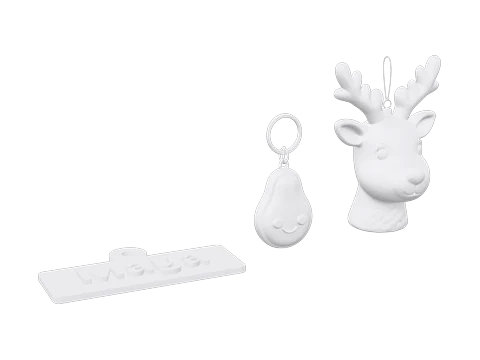 Gift plate3MF · 3 objects · 40,278 triangles
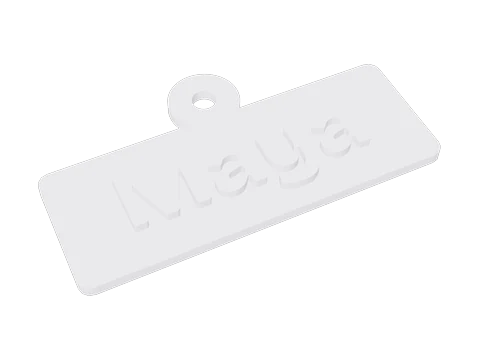 Keychain saved by PrusaSlicer3MF · 1 object · 1,482 triangles
Or export STL from your slicer
If the 3MF came from your own slicer, the slicer can write the STL too. Menu names from recent versions:
PrusaSlicer
File › Export › Export Plate as STL/OBJ, then save it as STL: every object on the plate goes into one file.
Bambu Studio and OrcaSlicer
File › Export › Export all objects as one STL, or Export all objects as STLs for one file each.
Cura
Open the 3MF, then choose File › Export… and pick STL as the file type. Cura exports what is on the build plate.
Files from model sites
Projects downloaded from Printables or MakerWorld often come as a 3MF with several plates and parts. Convert them here to get each object as its own STL.
3MF or STL: which one to keep
3MF keeps the whole project
A 3MF is an open format from the 3MF Consortium. It holds several objects, their units, colours, filaments and print settings in one package, so a project opens the way you left it.
STL opens everywhere
STL is only a list of triangles, with no units and no colour. That is exactly why nearly every slicer, modelling program and print service reads it.
File size
A 3MF is compressed, while a binary STL takes 50 bytes for every triangle. Our sample keychain is 18 KB as a 3MF and 74 KB as an STL.
Share the STL, keep the 3MF
Send the STL to people and services that need a plain model, and keep the 3MF for yourself, with the settings that made the print work.
Limits of the converter
Files up to 50 MB
Larger projects may open slowly or not at all on phones. A 3MF is compressed, so 50 MB holds a lot of model.
Modifier shapes
Shapes a project uses only to change settings, such as a box that adds infill, are left out when the file marks them as modifiers. If you're unsure, check the result in the STL viewer.
Sliced files
A .gcode.3mf holds the printer's toolpaths. If it doesn't carry the model as well, there's nothing to turn back into STL, and the page says so. Export the project 3MF from your slicer instead.
Damaged files
A 3MF that isn't a complete package, or whose model part is missing, can't be read. Opening it in a slicer and saving it again usually fixes that.
3MF to STL questions
Is the 3MF to STL converter free?
Yes. Converting and downloading are free, with no account and no watermark.
Is my 3MF uploaded?
No. The file is read in your browser and the STL is made there too. It never leaves your device.
Will the STL be the same size?
Yes. The converter reads the unit in the 3MF and writes the STL in millimetres, the unit slicers expect. A 40 mm part in the 3MF is a 40 mm part in the STL.
Can I convert a Bambu Studio 3MF to STL?
Yes. Bambu Studio keeps parts in separate files inside the 3MF; the converter puts them back together where they sit on the plate. In Bambu Studio itself, File › Export › Export all objects as one STL does the same.
What happens to the colours of a multi-colour print?
STL has no colour, so a painted model comes out as one shape. If each colour was its own object on the plate, choose one STL per object, then load the files into your slicer and give each one a filament.
Why convert when slicers open 3MF?
Some programs and print services still take only STL, and STL is the format most modelling tools and model sites accept. Converting gives you a file anyone can open.
Should I keep the 3MF?
Yes. It's your project file: it keeps the print settings, colours and plate layout that an STL can't.
Can I turn an STL back into a 3MF?
Not on this page. Open the STL in your slicer and save the project, and you have a 3MF again.
Does it work with PrusaSlicer and OrcaSlicer projects?
Yes. PrusaSlicer, OrcaSlicer, Bambu Studio and Cura all save standard 3MF packages, and the converter reads the model inside each.
How are the files in the zip named?
After the objects in the 3MF, numbered in the order they sit on the build plate, for example 1-Keychain.stl. Objects without a name are called Object 1, Object 2 and so on.
What happens to modifiers and negative volumes?
Modifier shapes, support blockers and support enforcers only change settings, so they are left out, and the page lists what it left. Negative volumes are left out too, but in your slicer they cut a hole or slot into the model. The STL won’t have that cut, so make it in a modelling program if you need it.
Can I convert 3MF to STL on a phone?
Yes. Choose the 3MF from Files or Downloads and the converter runs on the phone itself. Large projects take longer there, and very large ones can run out of memory on older phones.
No model yet? Make one from a photo.
Upload a photo and get a 3D model with an STL ready to print. Free to try, no sign-up.
More print tools
Changelog
Version 1.0 · Updated Oct 9, 2026
- 1.0 · First version. Reads 3MF projects, including Bambu Studio's multi-file ones; exports one STL or one per object; converts the units to millimetres.